ImplementationImplementationAlex Mariano6 min read
Setting up the CRMDAY One Open Enrollment Orchestrator: a step-by-step playbook for 2027
The orchestrator turns renewal season into a campaign. This playbook shows how to set it up, in order, so the work is ready before the window opens.
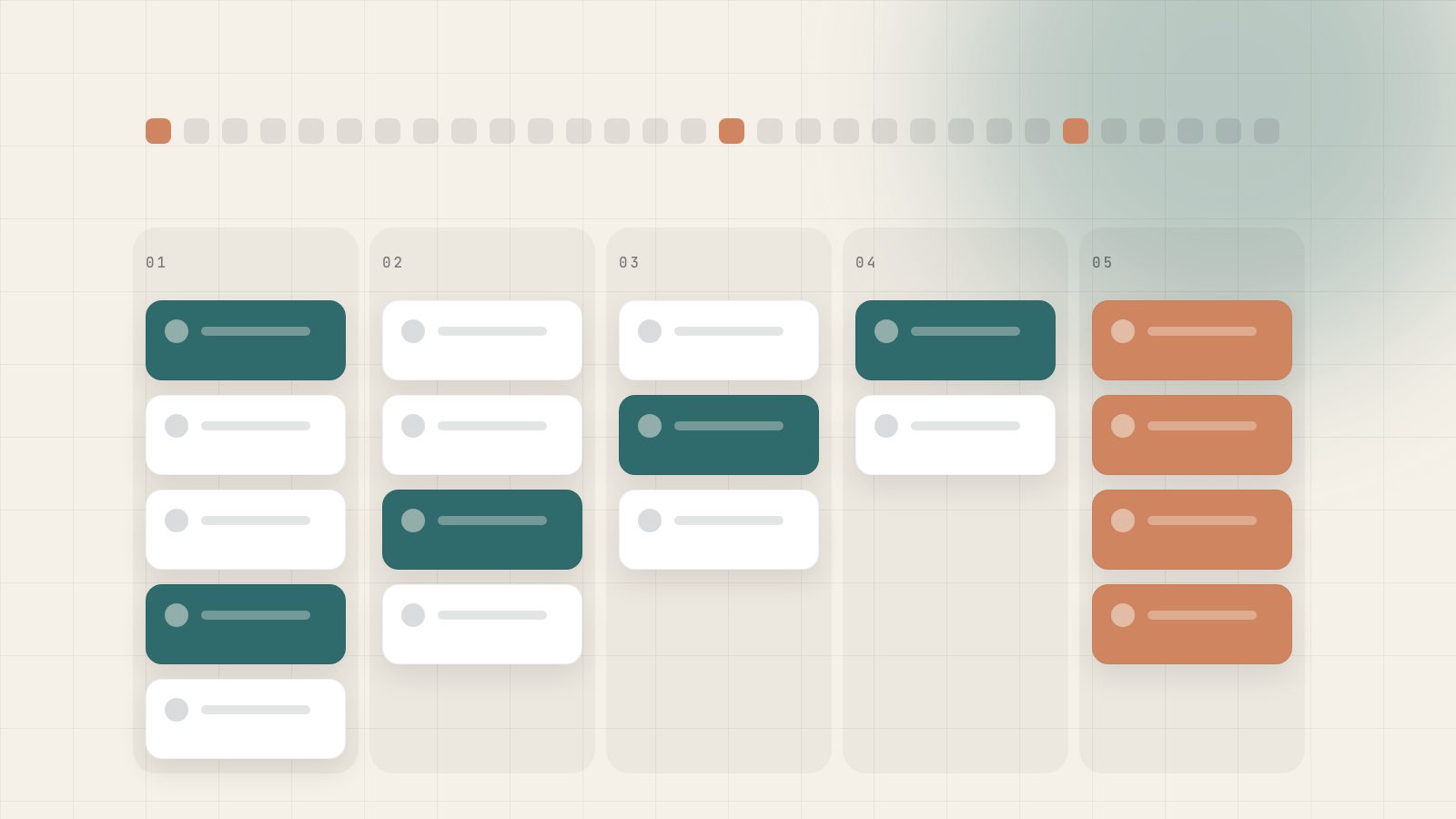
Most agencies prepare for Open Enrollment by preparing lists. The CRMDAY One Open Enrollment Orchestrator asks for something different: a campaign. The portfolio is activated in batches, every household moves through visible stages, and each card carries an owner, a status and a next action. When that structure is in place before November 1, the season becomes a matter of execution rather than improvisation.
This playbook describes the setup in the order we recommend. It assumes you already use CRMDAY One, or that you're in a trial and want to see what a prepared season looks like.
6-8 weeks before
Clean the book and confirm ownership
4-6 weeks before
Design batches and sequences
2-4 weeks before
Prepare forms, quotes and team capacity
Nov 1, 2026
Activate the first batches
Dec 15, 2026
Last day to enroll for January 1 coverage
Jan 15, 2027
Open Enrollment closes on HealthCare.gov
Step 1 · Clean the book before you orchestrate it
An orchestrator amplifies whatever data it receives. If households are duplicated or policies are missing, the campaign will contact the wrong people, twice. Before touching the orchestrator:
- Bring enrollment data up to date. If you enroll through HealthSherpa, load the latest file, preview the changes and confirm. Clients, policies and household members are created or updated, manual corrections are preserved and ambiguous records go to a review queue.
- Empty the review queue. Every unresolved record is a household that may be missed or contacted incorrectly.
- Confirm contact data and preferred channel. Phone, email and the channel each client actually answers on.
- Check consent. Make sure the documentation you need for communication and for any application work is on the client record.
Unsure how enrollment data should flow into CRMDAY One? See the HealthSherpa integration
Step 2 · Make ownership explicit
Every household that enters the orchestrator needs a visible owner. In most agencies, ownership is implicit: the producer who sold the policy. That breaks when producers left, when books were inherited or when a household has policies sold by two people. Resolve it before the season, not on November 3.
| Situation | Recommended rule |
|---|---|
| Producer still active | Producer owns the renewal |
| Producer left the agency | Reassign to a named producer, not to a shared bucket |
| Household with policies from two producers | One owner for the renewal conversation; the other is informed |
| Clients with an open service case | Owner of the case is consulted before outreach |
Step 3 · Design batches, not one giant list
The orchestrator activates the portfolio in batches. Batching is where strategy enters. A good batch groups households that need the same conversation, so the sequence and the agent's preparation fit all of them. For 2027, useful batches look like this:
| Batch | Who | Why it matters in 2027 | Start |
|---|---|---|---|
| A · Likely changes | Households with income or family changes reported during the year | Income accuracy affects subsidies and verification requests | Week 1 |
| B · Price-sensitive | Clients most exposed to premium increases | Median proposed 2027 increases are around 15%; these clients need a comparison | Week 1 |
| C · Eligibility review | Households whose credit eligibility may change on January 1, 2027 | Premium tax credit eligibility narrows for some immigrant categories | Week 1-2 |
| D · Stable renewals | Clients with no reported changes and a history of re-enrolling | Still need confirmation; auto-renewal isn't the same as a reviewed choice | Week 2-3 |
| E · New this year | Clients enrolled during 2026 through special enrollment | First renewal is where retention is decided | Week 2 |
Batch A, B and C are the ones where waiting costs the most. Starting them in the first week gives the team time before December 15 for clients who need to compare, collect documents or decide.
Need the policy background behind these batches? Read: Open Enrollment 2027 dates and changes
Step 4 · Build multichannel sequences
Each batch gets a sequence of touches that follows the client's preferred channel. With Voice + SMS enabled, calls and texts land on the same client timeline as WhatsApp and Instagram messages, so the owner sees every reply in context. A sequence for Batch B might look like this:
- 01Day 0. Message on the preferred channel: premiums are changing, we'll review options with you, please confirm your income and household.
- 02Day 2. Reminder with the confirmation request if there's no reply.
- 03Day 4. Call attempt by the owner, with a task created automatically.
- 04Day 7. Final message offering a time slot, then the card is flagged for manager review.
Keep messages short and specific. Clients respond to a clear request (confirm your income) far better than to a general announcement (Open Enrollment is here).
Voice + SMSCalls and texts on the same timeline as every other channelThe Voice + SMS add-on brings telephony into CRMDAY One, so renewal sequences, replies and call notes stay with the client and the owner never works blind.See CRMDAY One pricing and add-onsStep 5 · Prepare forms and quoting before the rush
Two things slow renewals down more than anything else: documents and quotes. Prepare both in advance.
- Forms. Review your consent and Self-Employment templates in the signed forms library. Prefilled forms sent through single-use links are signed faster and the signed PDF with its audit trail stays on the record.
- Quotes. Practice the Healthcare.gov quote workspace with the team on a few sample clients. Launching the quote from the profile and returning the selected plan to the policy workflow should be second nature by November.
- Exceptions. Agree on what counts as an exception (a household with an open verification request, for example) and who handles it.
See why quoting inside the client record matters more this season. Read: embedded ACA quoting in the CRM workflow
Step 6 · Plan team capacity
A campaign is only as fast as the people working it. Before activating, estimate how many cards each owner will carry per batch and compare that with the hours available in November and early December. If the math doesn't close, you have three options: stagger batch starts, move stable renewals (Batch D) to service agents, or use Aria to collect confirmations and answer routine questions, with a human handoff whenever judgment is needed.
“The Open Enrollment you'll have is decided in October. November only reveals it.”
Step 7 · Run the season from the Kanban
Once batches are active, the Kanban becomes the team's shared picture. Each household moves through the same five stages:
| Column | Exit criteria | Watch for |
|---|---|---|
| To renew | First touch sent | Cards without an owner |
| Contacted | Client replied or call completed | Cards stuck more than a week |
| Data confirmed | Income, household and contact confirmed | Missing documents or forms |
| Quote ready | Options prepared, exceptions flagged | Proposals not sent within two days |
| Renewed | Plan chosen, proof and next action recorded | Renewals after December 15 (February 1 start) |
Managers should review the board daily in the first two weeks and at least twice a week afterwards, focusing on cards that haven't moved. Dashboards show pending work by owner, which makes rebalancing a quick decision instead of a meeting.
Step 8 · Close the loop in January
When the window closes on January 15, the orchestrator has produced something most agencies never have: a record of every household, what was confirmed, what was quoted, who acted and when. Use it. Look at which batches renewed fastest, which sequences drew replies and where cards stalled. That review is the first draft of next year's setup.
Ready when you are
Put the plan in motion this week.
No credit card, set up in days, and a team that speaks English, Portuguese and Spanish if you want help.
Sources
- HealthCare.gov — Dates and deadlines (opens in a new tab)
- InsideHealthPolicy — CMS affirms 2027 Open Enrollment through Jan. 15 (opens in a new tab)
- Peterson-KFF Health System Tracker — Why ACA Marketplace premiums are going up in 2027 (opens in a new tab)
- CBPP — Five key changes to ACA Marketplaces (opens in a new tab)
This article is for information only and reflects public information as of its publication date. It is not legal or tax advice. Confirm current rules with CMS, your state exchange and your carriers.